Skip to content
ClickWeb home

Select A Plan For Your Website

Choose the perfect CodeGuard plan for your website's security needs.

Basic

The essentials, at the lowest price.

See prices in our store

View plans
Features
  • 25 Pages
  • Daily Malware Scan
  • Automatic Malware Removal
  • File Change Monitoring
  • Cross-Site Scripting Scan
  • Block Bad Bot Attacks
  • Spam Verification

Professional

Extra coverage for business sites.

See prices in our store

View plans
Features
  • 25 Pages
  • Daily Malware Scan
  • Automatic Malware Removal
  • File Change Monitoring
  • Cross-Site Scripting Scan
  • Block Bad Bot Attacks
  • Spam Verification

Premium

More capacity and features.

See prices in our store

View plans
Features
  • 25 Pages
  • Daily Malware Scan
  • Automatic Malware Removal
  • File Change Monitoring
  • Cross-Site Scripting Scan
  • Block Bad Bot Attacks
  • Spam Verification

Website backup that just works

Automatic backups

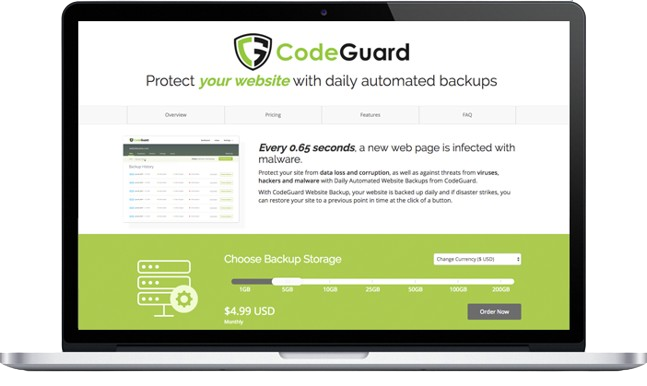
CodeGuard works behind the scenes. Which means you can turn it on and sit back while CodeGuard takes regular backups of your data.

Hassle-free setup

Since CodeGuard is cloud-based, setting it up is a snap – simply add your website connection details to start the backup process.

30-day Money-back guarantee

Try out CodeGuard and see how easy it is to secure your website. With our 30-day Money-back period, you've got nothing to lose.

How does CodeGuard work?

  • Step 1 - Connect Site

    Connect your website to CodeGuard using your SFTP/MySQL information. Once connected, an initial backup will start automatically.

  • The initial website or database backup is a complete data retrieval of all files that CodeGuard has access to. Depending on the number of files and total size, the initial backup can take up to 72 hours. After this first backup, future backups are differential, both in the files that are transferred and the files that are stored on your behalf.

  • Now CodeGuard monitor your site daily for changes, and send a change alert email if there are any changes. CodeGuard notifies anytime anything changes within the source code of your website. Additions, modifications, and deletions between each version of your website can be viewed in your dashboard.

  • After monitoring, SiteGurad continuously backup your site again and again if they detect changes. If the monitoring process detects any changes to the website source code, the files that changed or were added are transmitted to the CodeGuard repository. If any files are deleted, a record of the deletions is also transmitted to the repository.

  • Finally, you can restore your site back to any previous version with the click of a button. You can restore your website or database to any previous backup version. You can download a zip of the contents at any time, choose an automatic restore, or restore individual files and folders. There are few types of backups:
    – FTP/SFTP and WordPress Source Whole Site Restore
    – FTP/SFTP and WordPress Source Individual File Restore
    – MySQL Database Restore

CodeGuard | ClickWeb

Why customers trust ClickWeb

Hosting, domains, email and security from one provider, backed by a support team that is always on.

  • 50,000+

    Customers

    Businesses and individuals across the globe host with us.

  • 24/7

    Expert support

    Our team is available around the clock to help.

  • 99.99%

    Uptime

    Reliable infrastructure keeps your sites online.

  • 10 years

    In business

    Helping web professionals succeed for a decade.

Website Backup (CodeGuard) | ClickWeb